
Often, after making big changes to your store in the backend, you will need to refresh your store in order to see the changes reflected on the front end. To refresh your store, navigate to Advanced > Refresh Your Store on your control panel.
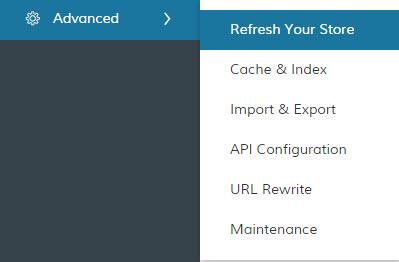
Still not seeing the changes to your store? Start by clearing your browser's cache.
Still nothing?
- Go to Advanced > Cache & Index and click "Manage" next to Cache Management.
- Select All caches and on the top right make sure Actions is set to Refresh. Click Submit next to this.
- Go back to Advanced > Cache & Index and click "Manage" next to Index Management.
- Again, Select All indexes and on the top right make sure Actions is set to Reindex Data. Click Submit next to this.
Comments
0 comments
Please sign in to leave a comment.