
Please note this is for the Reports section of your Control Panel rather than the reports found in the Analytics section
Running your sales reports and feel like there is something missing? You may need to run a refresh of the information especially if you are seeing an alert like this one:

You can use the "Click here" to do a quick refresh however if you have not done a refresh before we recommend clicking on Statistics.
Did you not get the alert? You can go to Reports > Refresh Statistics and click Manage to access this page. 
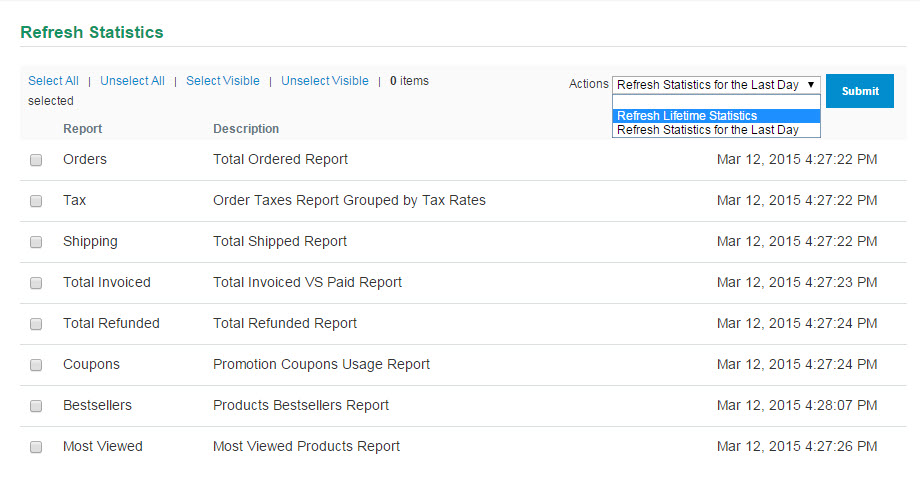
You'll see a page similar to the one below. Click "Select All" and change the Actions to Refresh Lifetime Statistics.
Hit Submit and you'll be able to pull your complete reports!
Comments
0 comments
Please sign in to leave a comment.