
Tier pricing lets you offer a quantity discount to all customers, or extend the discount to only select group of customers. The discount appears on both the category list and product detail pages, and can be applied to a specific store view and customer group. On the category list page, the product price includes the words, “As Low As: $110” On the product detail page, the calculated quantity discount appears in a box, with a message that says:
- Buy 2 for #__._ each and save _%
- Buy 4 for $__._ each and save _%
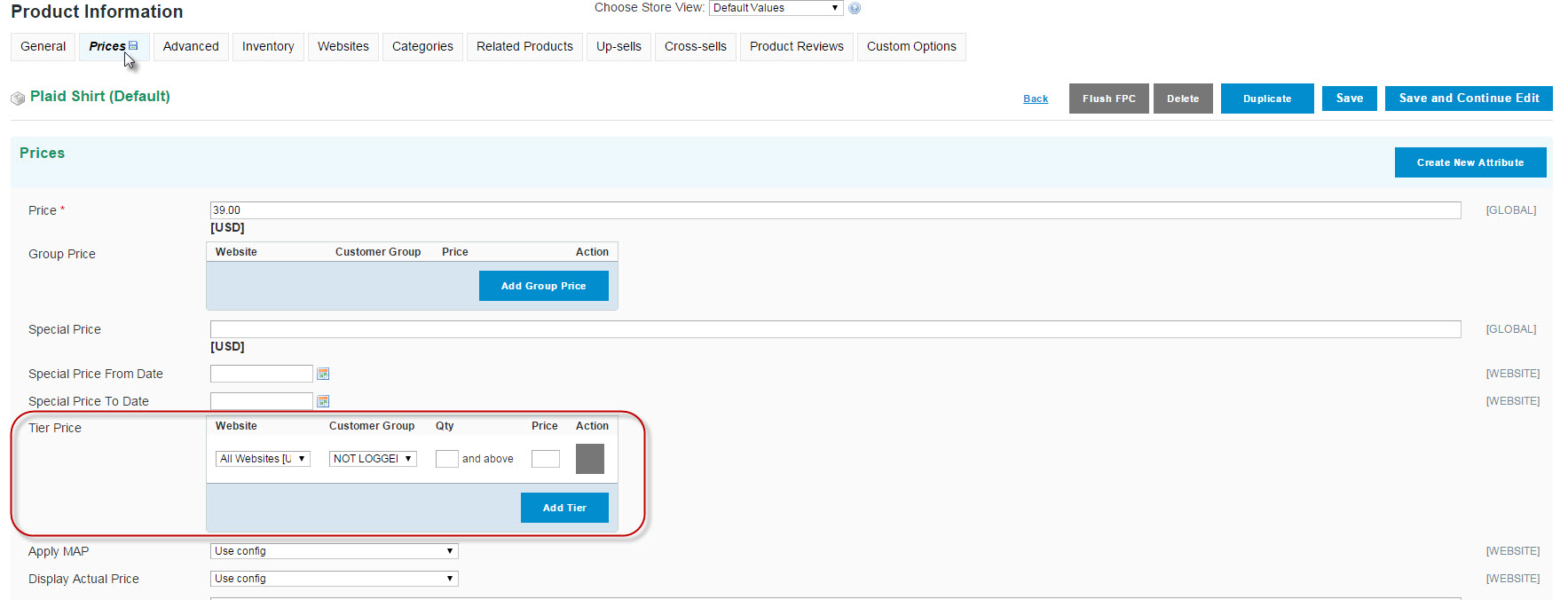
To set your Tiered pricing for an item, go to Catalog > Product and select the product you wish to offer this for.
Select the Prices tab and scroll down to the Tier Price area. Here you can choose
- Which website this is offered on
- Which Customer groups (Retail, Wholesale, logged in, VIP ect...)
- How many they need to buy to enable the discount
You can add as many levels as you need for as many groups as you need by just clicking "Add Tier"
Comments
0 comments
Please sign in to leave a comment.