
The Analytics section in your Control Panel provides you with metrics for orders, customers, conversion rate, abandoned cart, revenue, and average order value.
It helps to understand customer behavior, such as how your customers move through your store. Additionally it gives you insights on abandoned carts and what the top selling products are. With Analytics also comes a great marketing tool that allows you to see the channels that drive traffic to your store.
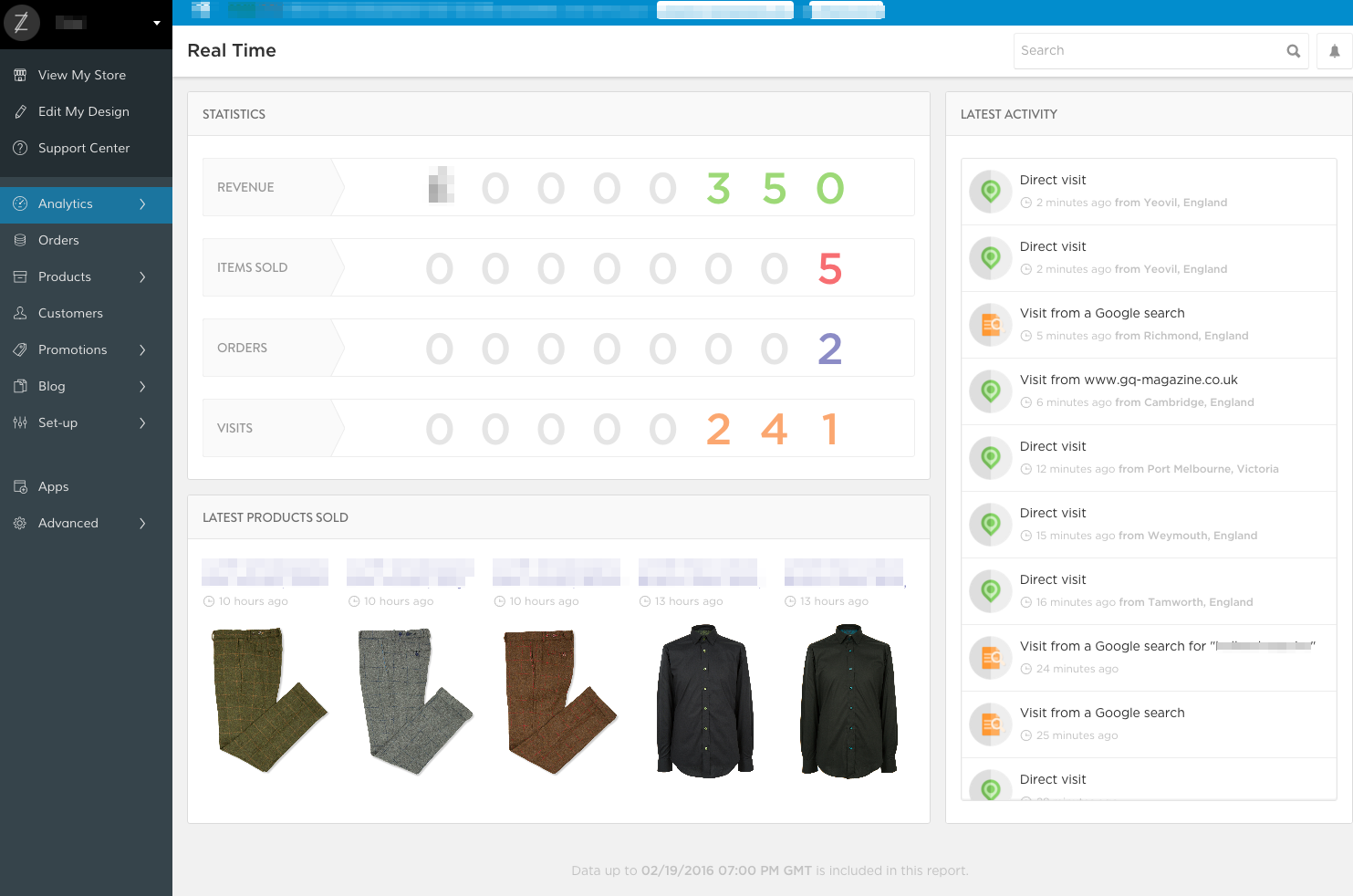
Please note: Real Time doesn't reflect the events exactly in the moment they happen. Instead it refreshes hourly and shows the updated or a previous time. You can see the latest report and time at the bottom of the REAL TIME page.
Real Time will show you the following Statistics without the need to generate a report:
| REVENUE |
| ITEMS SOLD |
| ORDERS |
| LATEST PRODUCTS SOLD |
| VISITS and LATEST ACTIVITY |
REVENUE
The amount of the Revenue you generated will be displayed in the currency you have set for your store. It shows the sum for all the orders that are included in the latest report.
You can see the the average order amount in your Dashboard under AOV.
ITEMS SOLD and ORDERS
The metrics for ITEMS SOLD are for the total amount of products within all orders and ORDERS shows the number of orders included in this report.
Please note that an order that was placed after the time of the current update won't be reflected in these metrics, until the report refreshes.
LATEST PRODUCTS SOLD
The most recent items that have been purchased will be displayed with the Product Title or Name. Underneath the name you will see how much time ago they were purchased and the thumbnail of the product.
VISITS and LATEST ACTIVITY
Visits refers to the total amount of visitors that were navigating your store. The metrics for Latest Activity gives you insight as of where the visitors came from - not only the location, but also from which previous site, referrer or from a Google search.
Comments
0 comments
Please sign in to leave a comment.