
M2E allows you to sync order information from eBay, Amazon, and Rakuten with Zoey. M2E automatically syncs your inventory across these services and your Zoey store to ensure you accurately track changes, while saving time on managing your presence on these popular marketplaces.
Note: It does not function as a payment or shipping method independently, even though the option is enabled in those sections. It's essential to enable each setting to fulfill its functionality.
| 1 | Add M2E to your payment methods |
| 2 | Add M2E to your shipping methods |
| 3 | Enable M2E |
| 4 | Learn more about M2E |
Step 1 - Add M2E to your payment methods
- In your Control Panel, hover over Set-up and select Payment.
- Scroll down and click M2E Payment. Then, click Add Payment Method.
- In the M2E section, click Set-up.
- From your M2E configuration, set Enabled to Yes.
- Click Save.
Step 2 - Add M2E to your shipping methods
- In your Control Panel, hover over Set-up and select Shipping.
- Scroll down and click M2E Shipping. Then, click Add Shipping Method.
- In the M2E section, click Set-up.
- From your M2E configuration, set Enabled to Yes.
- Click Save.
Step 3 - Enable M2E
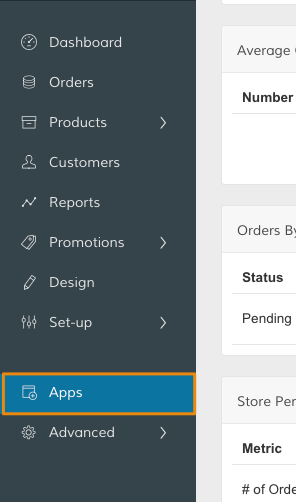
In your Control Panel, select Apps.
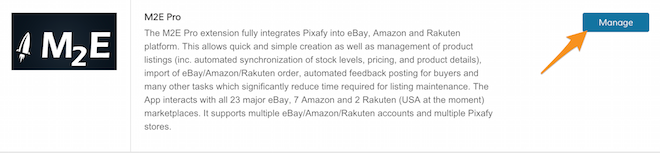
Then, from the M2E Pro section, click Manage.
From your M2E settings, complete your configurations. We recommend contacting M2E for additional support.
Learn more about M2E
We explain more about M2E's features here. You can also read about M2E from their website.
Comments
0 comments
Please sign in to leave a comment.