
English not the language that your store will be primarily operating in or what your admins will be using? Change your default language.
-
Navigate to Set-up > Localization > Settings
-
Make sure you have "Default Configuration" Selected as your Current Configuration Scope.
-
In the "Locale Options" section use the "Locale" drop-down to choose from the available translations.
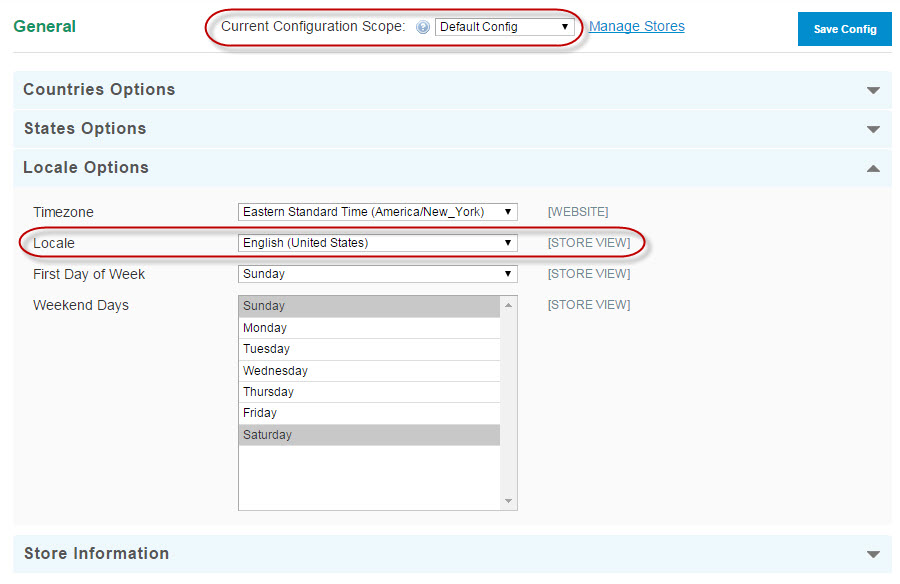
-
Click "Save"
-
Run a Store Refresh (Advanced > Store Refresh) to see the changes on the font end. To see the changes in your Control Panel, Log Out and Log In again.
Comments
0 comments
Please sign in to leave a comment.