
ShipStation is a web based software for shipping orders. It's a fantastic tool for saving time on shipping by automating important parts of the order process.
| 1 | Why Shipstation? |
| 2 | Generate ShipStation API |
| 3 | Connect ShipStation to Zoey |
| 4 | Learn more about ShipStation |
Why ShipStation?
- Automate shipping rules, materials and return labels to save time and avoid mistakes.
- Control shipping from desktop and mobile.
- Quick integration with fulfillment services like Fulfillment by Amazon, Shopping Cart Elite, and Dear Inventory.
Step 1 - Generate ShipStation API
Note: If you do not have an account, you can create a 30 day free trial with ShipStation here.
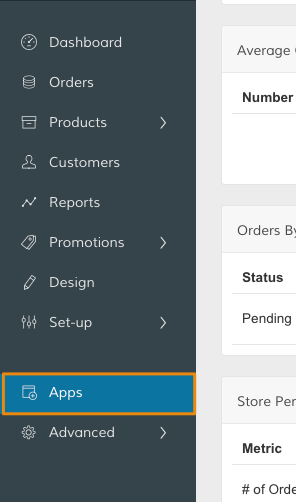
In your Control Panel, select Apps.
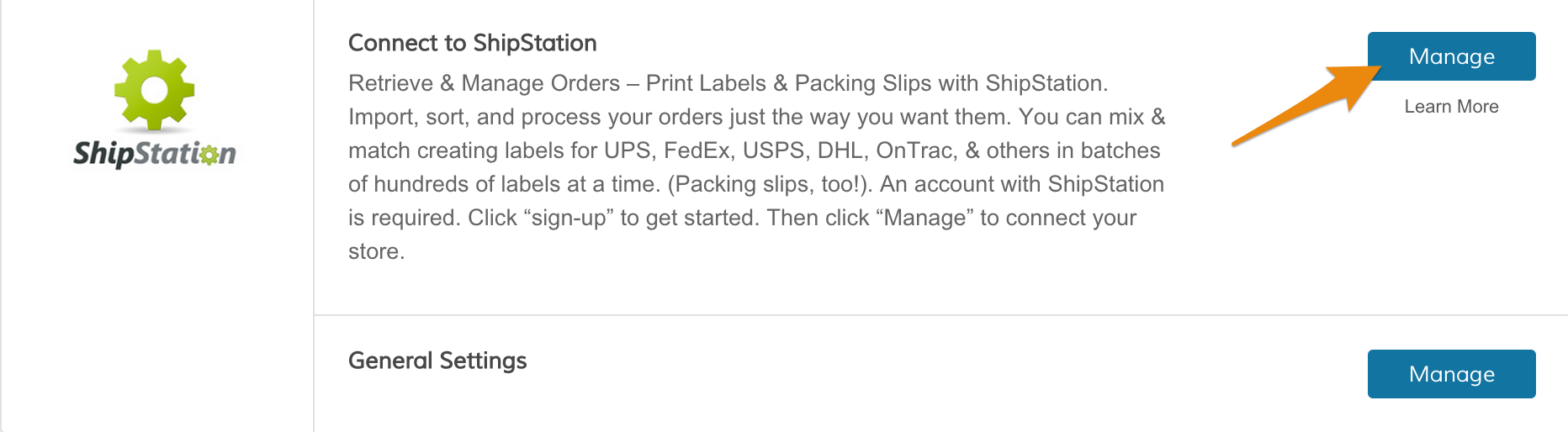
Scroll down to ShipStation, and click Manage within the Connect to ShipStation section.
Step 2 - Connect ShipStation to Zoey
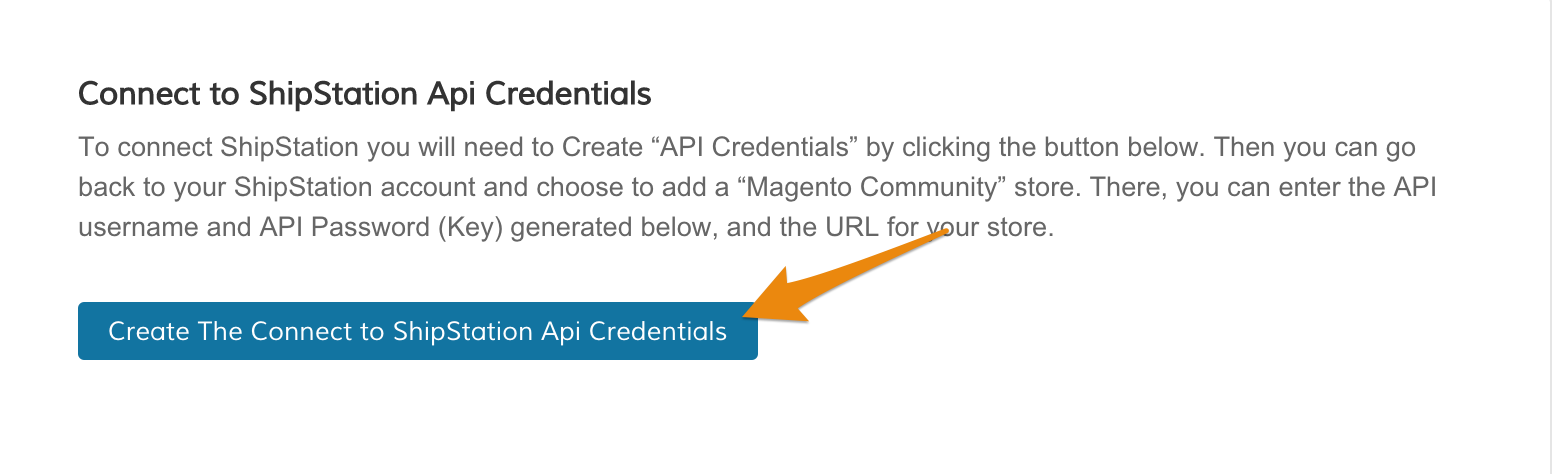
On your Connect to ShipStation page, click Generate API Credentials.
Then, copy your API credentials. You will refer to them later when you connect your account.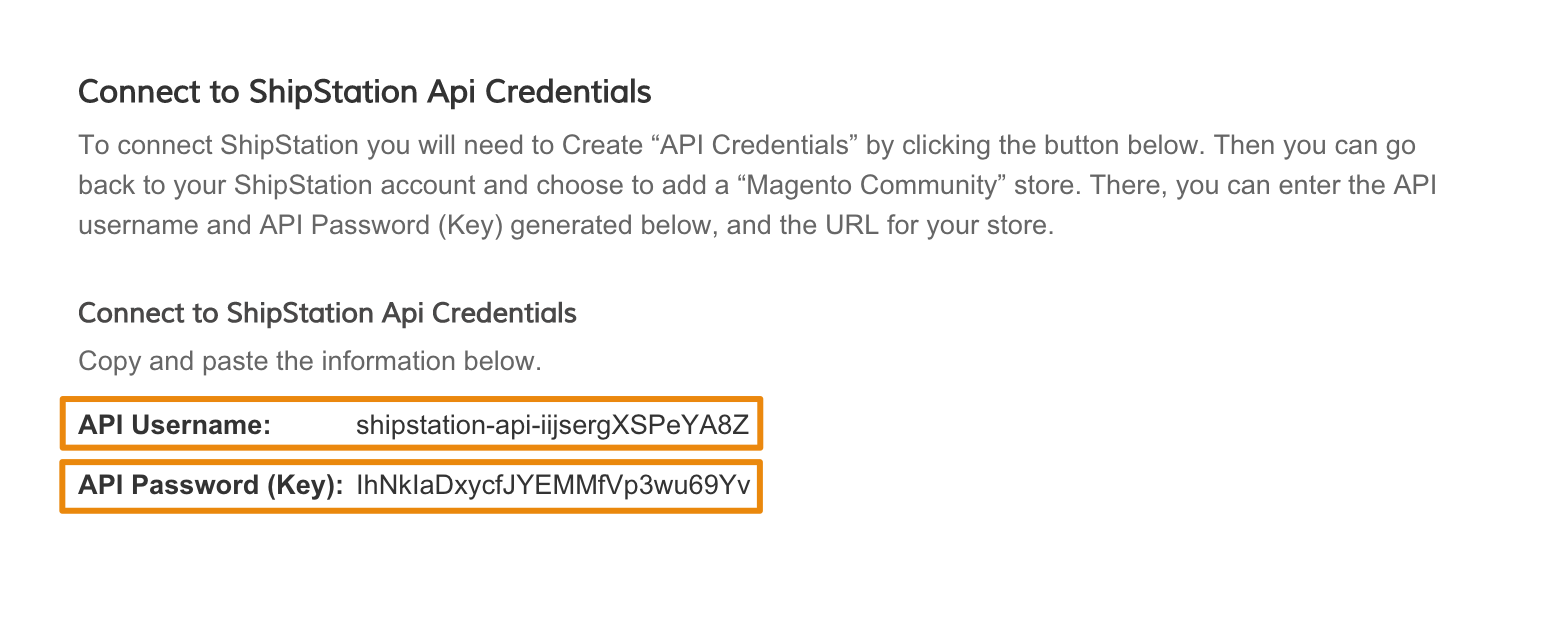
Login to your ShipStation account. From your account, select Zoey as a new store.
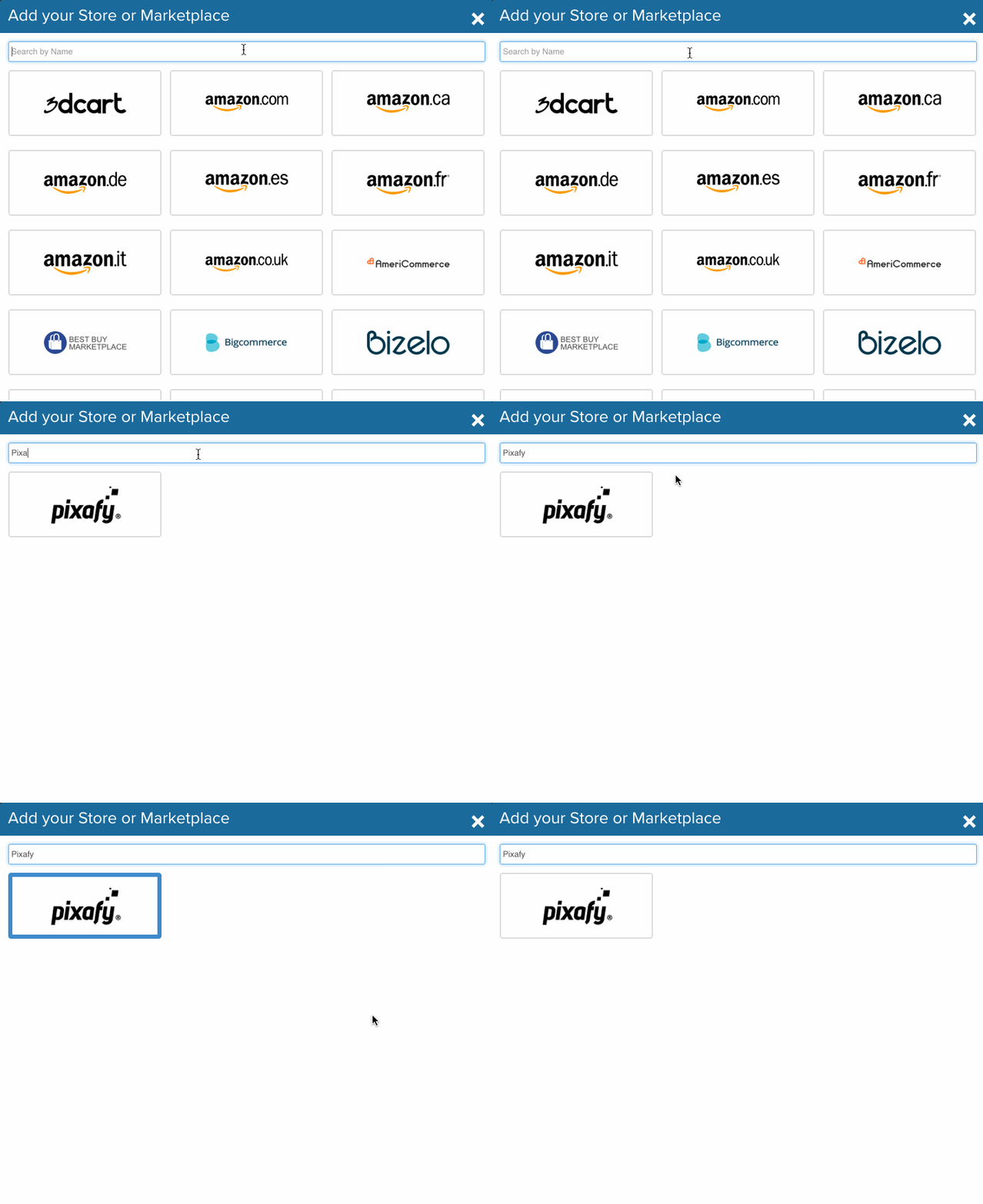
Note: ShipStation has a helpful article on adding a store to your account.
Then, enter your credentials. When you finish updating your settings, click Finish.
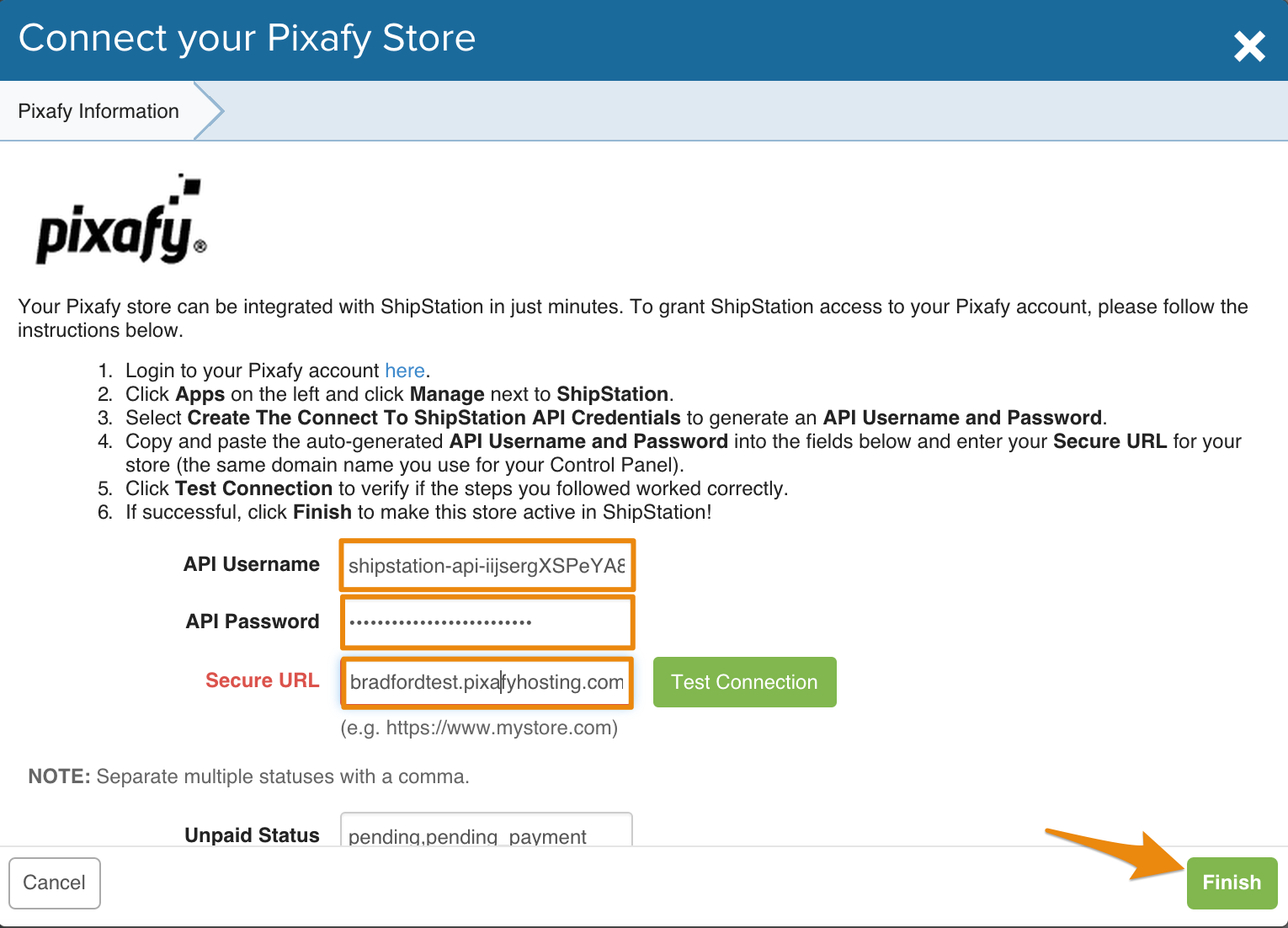
Note: You can test the connection to your store by clicking Connect to Store.
Learn more about ShipStation
ShipStation has an extensive knowledge base with helpful support articles on using the platform. If you have any questions about using ShipStation, you can contact their support team from here.
Comments
0 comments
Please sign in to leave a comment.