
Once in your control panel, select Catalog > Categories and click on the category you would like to add Category Products to. You will see several tabs, the last being Category Products. This screen allows you to add products to the Category and set a default sort order for the "Top Products"
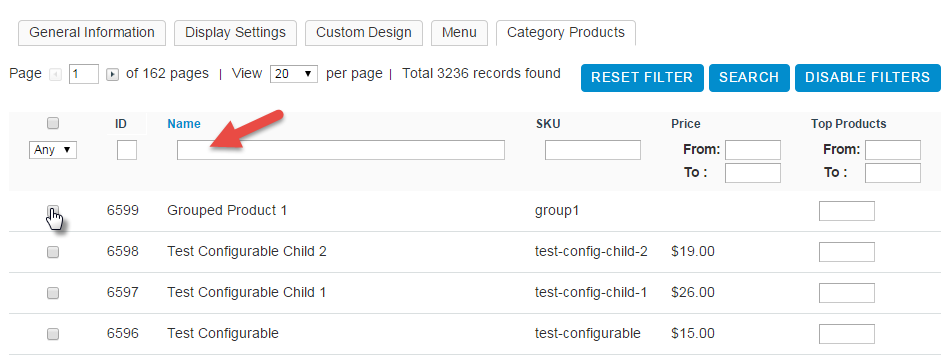
To begin adding products to your Categories:
- Click Enable Filters
- If your full catalog does not appear, click Reset Filter
- Search for the products you would like to add by Name, SKU or Price Range
- Check the Check Box next to the products you would like to add to the category.
- Once you have finished with your selections, click Save Category
- You will need to Re-Index and Refresh your store to see these changes appear on the Store Front-End.
Go to Advanced > Cache/Index > Index Management page and refresh the index marked as Requires Re-Index.
After Re-Indexing, you can then Refresh your store by clicking on Advanced > Store Refresh.
Comments
0 comments
Please sign in to leave a comment.