
If your current credit or debit card expires, or you need to enter a new card, you can change your billing information at any time! We accept all most major credit card providers, including Visa, American Express, MasterCard and Discover.
| 1 | Visit Account Settings |
| 2 | Add new billing information |
Step 1 - Visit Account Settings
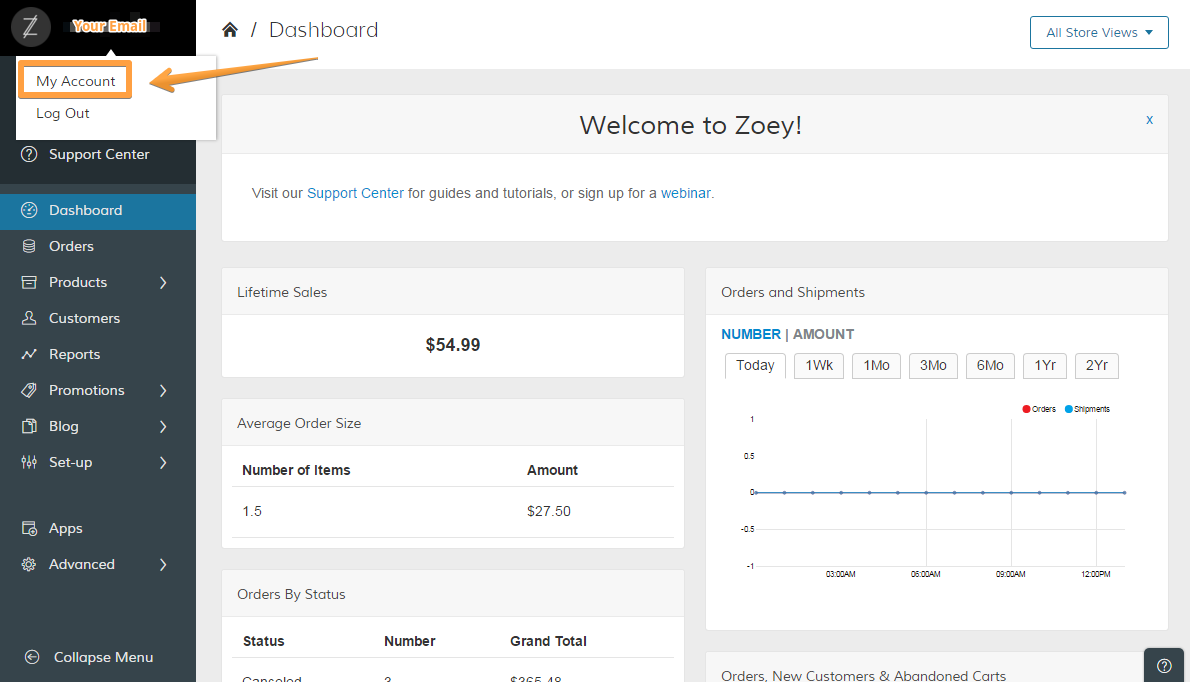
In your Control Panel, hover your cursor over Your Email Address and select My Account.
Step 2 - Add new Billing Information
In your Account Manager under "Billing" click on "Change billing information". A new window opens where you can view your Billing information, such as the plan you are on, the amount you were last billed, or the next bill date.
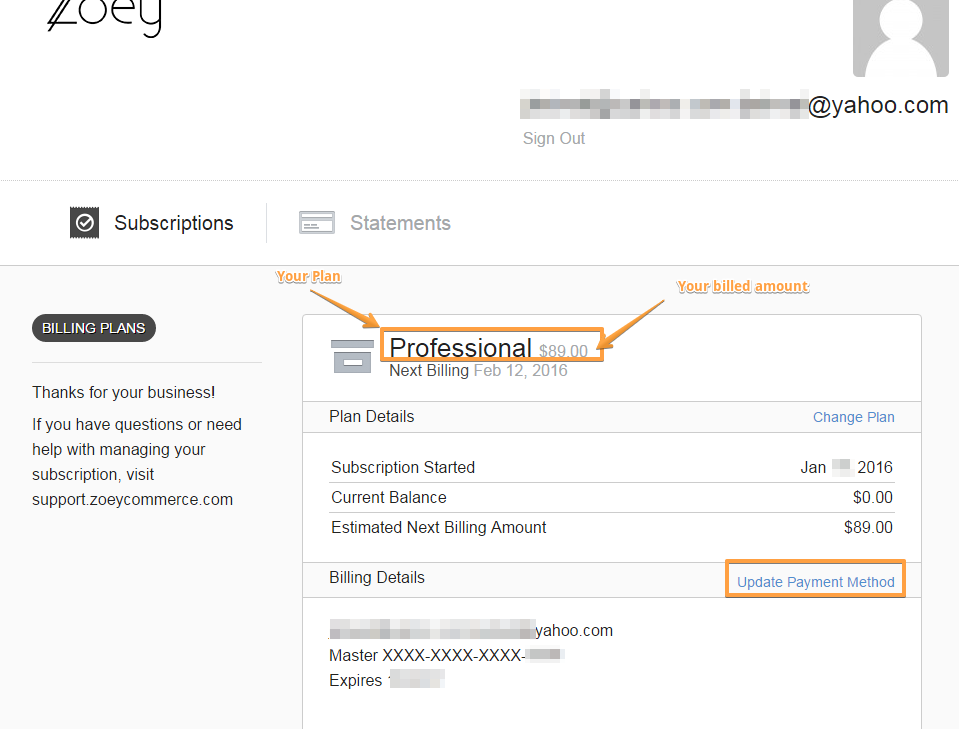
To update the credit card information, just click on Update Payment Method and enter the new information for all the fields. Please note: Even if your Name and Address remain the same, make sure to fill in all the fields, not only the credit card number and CVV.
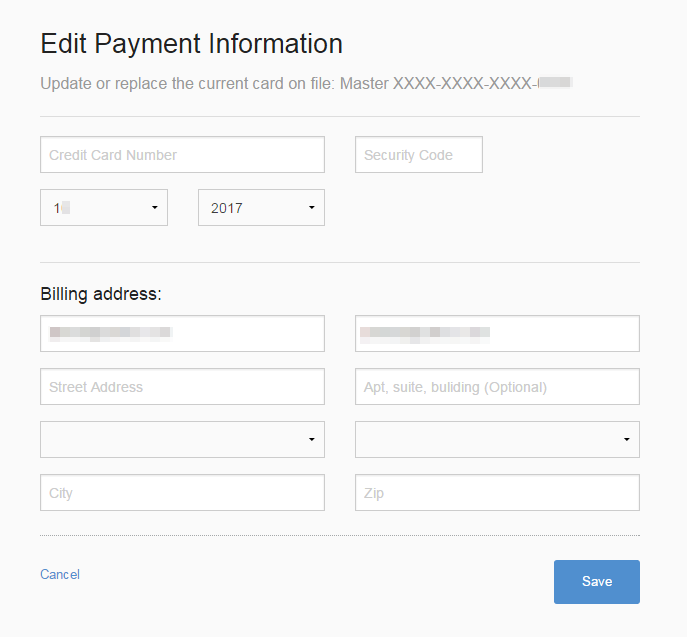
When you have filled in all the information, click on Save and your future Zoey payments will be billed to your new card!
Comments
0 comments
Please sign in to leave a comment.