
You may occasionally see on your Orders page the status Suspected Fraud. This is an alert from your payment gateways, and it is easily updated and fixed, allowing you to continue processing the order as usual. This tutorial will walk you though resolving this status- a process that takes a few seconds to implement.
| 1 | What is Suspected Fraud? |
| 2 | Resolving and Updating the status |
| 3 | Learn More |
What is Suspected Fraud?
Many payment gateways, credit cards and banks offer their clients additional security measures to protect personal accounts and information. One of these security features is fraud detection, and it can help you as the merchant to avoid issues with charge backs and claims if a purchase is made by an unauthorized user.
Suspicious activity on the merchant or buyer's account can flag transactions and put a hold on processing. This can also occur when the order amount in your store and the amount shown in PayPal for example does not match- a common issue with currency conversions.
For more information on activity that may flag your account or a transaction, please contact your payment gateway directly.
Accounts and purchases that have been flagged as suspicious will appear in your Orders screen with the status Suspected Fraud as set by the payment processor. For your security as well as your customer's, you will not be able to process this order until this has been cleared by the payment gateway as an authorized transaction.
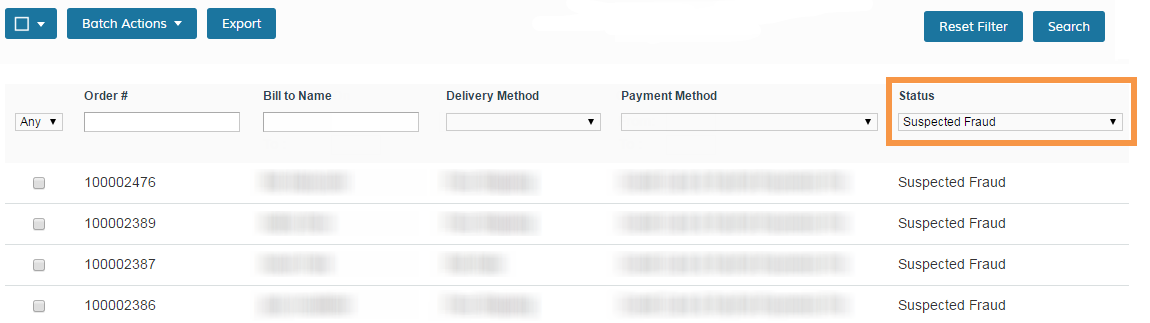
From your Control Panel, click on Orders and use the filters to find all Suspected Fraud orders.
These statuses are applied by your payment gateway or can be set manually from your Control Panel if you have modified your default order statuses which is not recommended.
Resolving and Updating the status
When you have an order with this status, updating and resolving it is very simple. From Orders page, click on the order with the Suspected Fraud status to view in more detail. Click the Get Payment Update button in the top right corner.
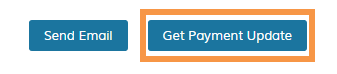
This will ask the payment gateway if the payment has been approved or if it is still suspected to be an invalid transaction. Most of the time this will return a positive response, payment will be captured or authorized depending on your standard settings, and you'll be back on track to process the order!
Should Get Payment Update not update the order and it is still marked as Suspected Fraud, you may need to contact the payment gateway for more information. Occasionally the customer who placed the order will need to contact their bank or PayPal (if this was the payment method used) to clear up any questions about their account.
Note: You can also check the Comments History at the bottom of the Order Details page for more information on history between your store and the payment gateway as well as see Transaction IDs set by the payment gateway.
If you are unable to resolve this transaction and receive payment, you can opt to cancel the order. To do so, first you will need to open the Invoice for this order and Cancel the transaction. Once complete, you can Cancel the order itself.
Learn More
You should now be able to quickly resolve any orders that come in with Suspected Fraud as the Order Status!
For additional support, please see the following guides:
Comments
0 comments
Please sign in to leave a comment.