
Please note this tutorial is only for our older Classic design themes and tools. For information on our new themes and how to use the updated tools, please see: Starting with Design and Advanced Design Tools.
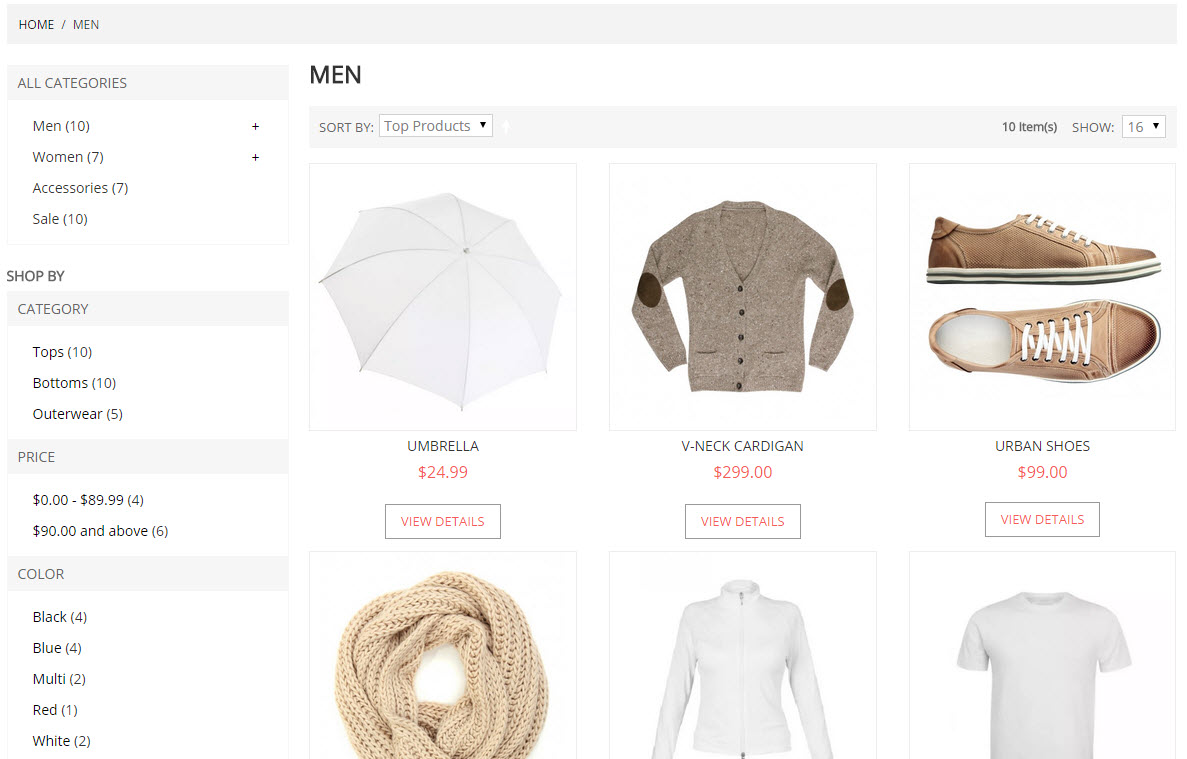
Your Zoey category pages can have 3, 4, or 5 columns of products! Depending on your store's style and design, you may wish to change this and it can be done on a category by category basis.
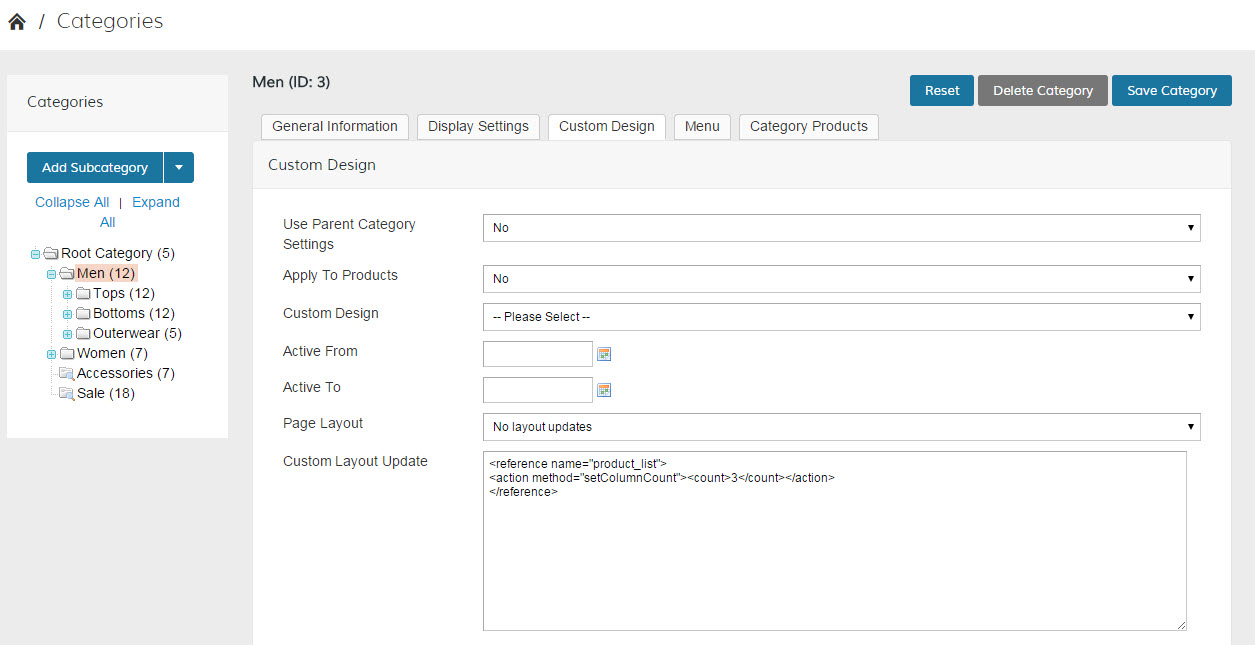
- In Products > Categories, select a category
- Click on the Custom Design Tab
- In the Custom Layout Update field, enter the following line of XML:
123
<referencename="product_list"><actionmethod="setColumnCount"><count>5</count></action></reference>Note: You can set the <count>5</count> to the following values: 3, 4, or 5
- Save the Category Page and Refresh your store!
Here's what the Category should look like on the back and front once you are done:
Comments
0 comments
Please sign in to leave a comment.