
On the left column of your category pages you will see "Shop By" with a list of attributes underneath which customers can use to filter down products. By default, Price is one of those options. If this is not something you need for your site, or if you want to add other attributes to these filters, follow along with this tutorial!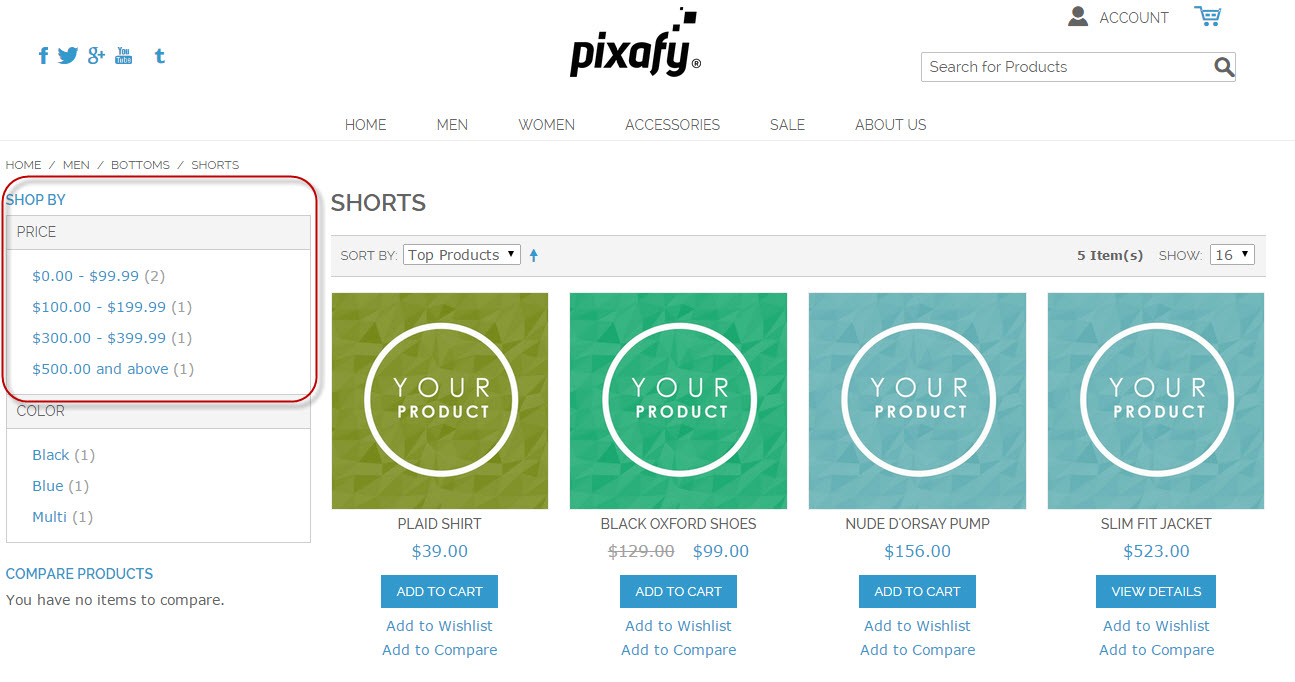
Price and Color as you see above are attributes. You can add more or take these off by going to your Control Panel, Products > Attributes
Next, click on the Attribute (such as color or manufacturer) you wish to modify. Under the Attribute Properties area, you will see "Front End Properties".
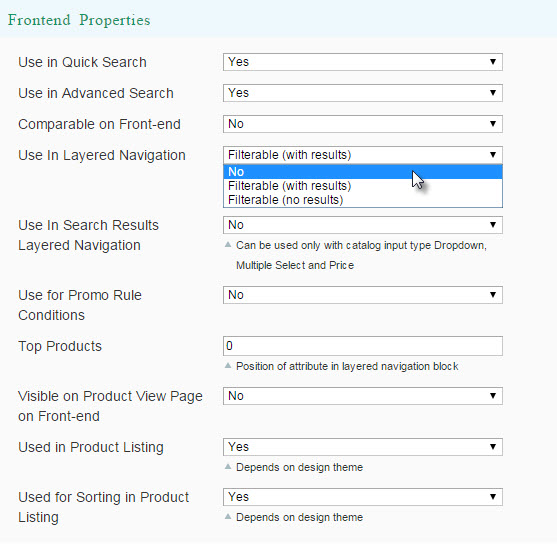
If you do not want this to show as a filter on the front end, change "Use in Layered Navigation" to "No" If you do want it to show, chose one of the filterable.
(With results) will show you how many products have that attribute such as:
Blue (2)
Black (5)
Red (30)
(No results) will not show you how many products have that attribute such as:
Blue
Black
Red
Make sure that the category you which for this information to appear on is set to Is Anchor > Yes!
Click here for more information on Categories in Layered Navigation.
Comments
0 comments
Please sign in to leave a comment.